Volumes
What This Is For
Section titled “What This Is For”Volumes is the local (single-node) Docker volume inventory: name, driver, size, which stack owns it, and whether anything currently has it mounted. The “show unused only” filter finds volumes nothing is attached to any more, and deleting one frees the reported storage — the screen warns first if the volume is still in use. This is the local counterpart to Distributed Volumes; a volume here lives on the one node that created it and does not replicate or migrate.
How You Get Here
Section titled “How You Get Here”Sidebar section Main → Volumes.
What It Looks Like
Section titled “What It Looks Like”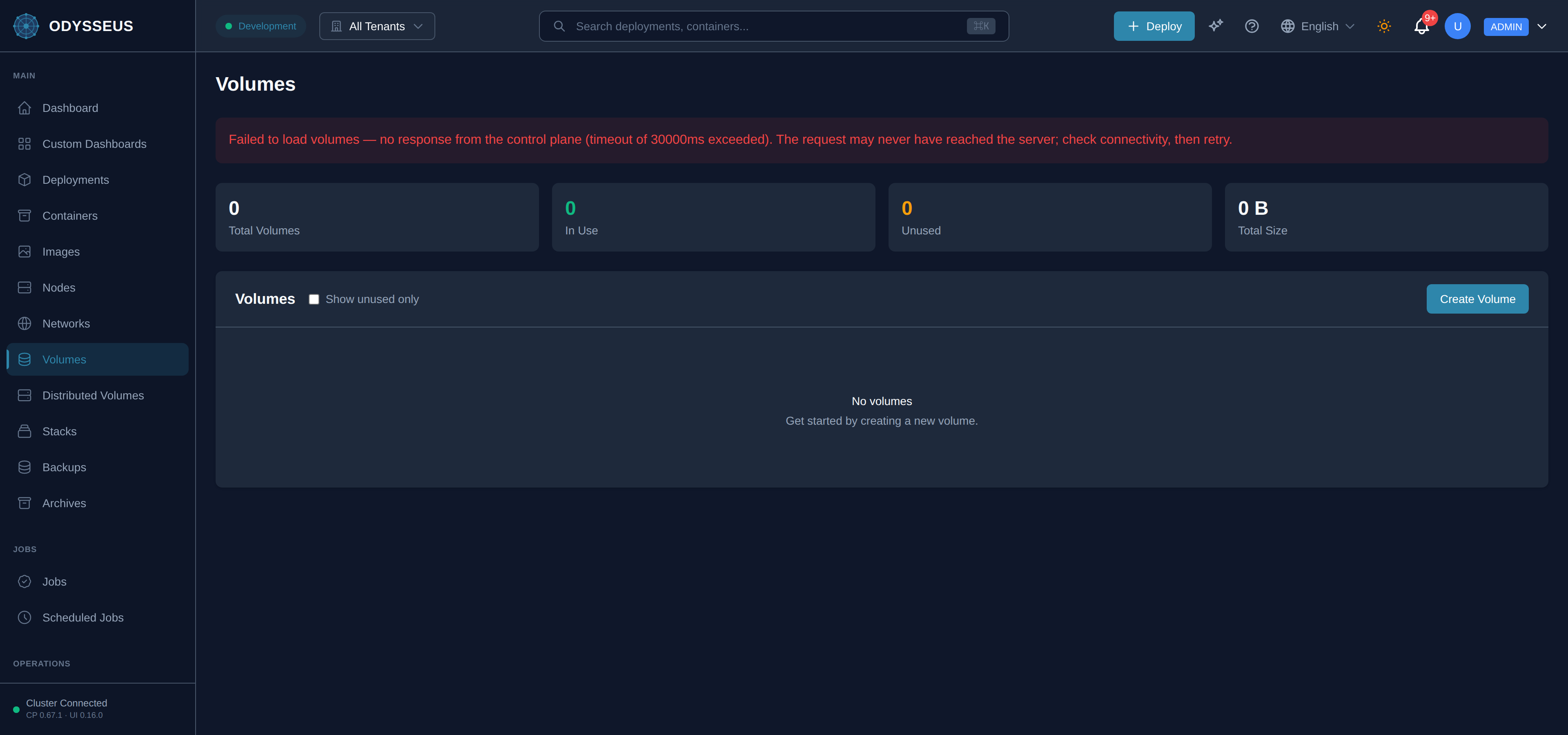
What It Shows
Section titled “What It Shows”/volumes (Volumes)
Section titled “/volumes (Volumes)”infrastructure:volumes.actions— “Actions”infrastructure:volumes.all— “All”infrastructure:volumes.all-volumes-are-currently-in— “All volumes are currently in use.”infrastructure:volumes.are-you-sure-you-want— “Are you sure you want to delete the volume”infrastructure:volumes.cancel— “Cancel”infrastructure:volumes.clear-filters— “Clear filters”infrastructure:volumes.create-volume— “Create Volume”infrastructure:volumes.creating— “Creating…”infrastructure:volumes.delete— “Delete”infrastructure:volumes.delete-volume— “Delete Volume”infrastructure:volumes.deleting— “Deleting…”infrastructure:volumes.driver— “Driver”infrastructure:volumes.force-delete— “Force Delete”infrastructure:volumes.get-started-by-creating-a— “Get started by creating a new volume.”infrastructure:volumes.in-use— “In Use”infrastructure:volumes.loading-volumes— “Loading volumes…”infrastructure:volumes.local— “Local”infrastructure:volumes.must-start-with-alphanumeric-can— “Must start with alphanumeric, can contain alphanumeric, underscore, period, or hyphen.”infrastructure:volumes.name— “Name”infrastructure:volumes.no-unused-volumes— “No unused volumes”infrastructure:volumes.no-volumes— “No volumes”infrastructure:volumes.of-storage— “of storage.”infrastructure:volumes.show-unused-only— “Show unused only”infrastructure:volumes.size— “Size”infrastructure:volumes.stack— “Stack:”infrastructure:volumes.stack-2— “Stack”infrastructure:volumes.status— “Status”infrastructure:volumes.this-will-free-up— “This will free up”infrastructure:volumes.total-size— “Total Size”infrastructure:volumes.total-volumes— “Total Volumes”infrastructure:volumes.unused— “Unused”infrastructure:volumes.usage— “Usage”infrastructure:volumes.volume-name— “Volume Name *”infrastructure:volumes.volumes— “Volumes”infrastructure:volumes.warning-volume-in-use— “Warning: Volume In Use”
/volumes/:name (VolumeDetail)
Section titled “/volumes/:name (VolumeDetail)”infrastructure:volumeDetail.are-you-sure-you-want— “Are you sure you want to delete volume”infrastructure:volumeDetail.available— “Available”infrastructure:volumeDetail.back-to-volumes— “← Back to Volumes”infrastructure:volumeDetail.cancel— “Cancel”infrastructure:volumeDetail.container-s— “container(s)”infrastructure:volumeDetail.container-s-you-must-force— “container(s). You must force delete or stop the containers first.”infrastructure:volumeDetail.containers-using-this-volume— “Containers Using This Volume (”infrastructure:volumeDetail.created— “Created”infrastructure:volumeDetail.delete-volume— “Delete Volume”infrastructure:volumeDetail.deleting— “Deleting…”infrastructure:volumeDetail.deployment— “Deployment”infrastructure:volumeDetail.driver— “Driver”infrastructure:volumeDetail.driver-options— “Driver Options”infrastructure:volumeDetail.force-delete-may-cause-data— “Force delete (may cause data loss)”infrastructure:volumeDetail.in-use— “In Use”infrastructure:volumeDetail.in-use-by— “In use by”infrastructure:volumeDetail.key— “Key”infrastructure:volumeDetail.labels— “Labels”infrastructure:volumeDetail.loading-volume-details— “Loading volume details…”infrastructure:volumeDetail.mountpoint— “Mountpoint”infrastructure:volumeDetail.name— “Name”infrastructure:volumeDetail.no-labels-defined-for-this— “No labels defined for this volume.”infrastructure:volumeDetail.not-in-use— “Not in use”infrastructure:volumeDetail.of-data-will-be-permanently— “of data will be permanently deleted.”infrastructure:volumeDetail.option— “Option”infrastructure:volumeDetail.reference-count— “Reference Count”infrastructure:volumeDetail.scope— “Scope”infrastructure:volumeDetail.size— “Size”infrastructure:volumeDetail.size-2— “Size:”infrastructure:volumeDetail.status— “Status”infrastructure:volumeDetail.this-action-cannot-be-undone— “This action cannot be undone. All data stored in this volume will be permanently deleted.”infrastructure:volumeDetail.this-volume-is-currently-being— “This volume is currently being used by”infrastructure:volumeDetail.unknown— “Unknown”infrastructure:volumeDetail.value— “Value”infrastructure:volumeDetail.volume— “Volume:”infrastructure:volumeDetail.volume-not-found— “Volume not found”infrastructure:volumeDetail.warning-volume-is-in-use— “Warning: Volume is in use”
What You Can Do
Section titled “What You Can Do”/volumes
Section titled “/volumes”This screen’s component declares no permission-gated controls.
/volumes/:name
Section titled “/volumes/:name”This screen’s component declares no permission-gated controls.
Where To Go Next
Section titled “Where To Go Next”If you need a volume that survives node failure or moves with a rescheduled container, see
distributed volumes and the
Distributed Volumes screen instead. The
volumes block itself is documented in the
deployment manifest.