Stacks
What This Is For
Section titled “What This Is For”Stacks groups containers, networks and volumes by the Docker Compose project (or Odysseus
deployment) that manages them, so you see a whole application’s resources together rather than
hunting for them individually. The “show only Odysseus-managed” filter separates stacks fully
under Odysseus’s control from plain docker compose projects it has only discovered; the
per-stack migrate action is how a discovered Compose stack is brought under Odysseus management.
How You Get Here
Section titled “How You Get Here”Sidebar section Main → Stacks.
What It Looks Like
Section titled “What It Looks Like”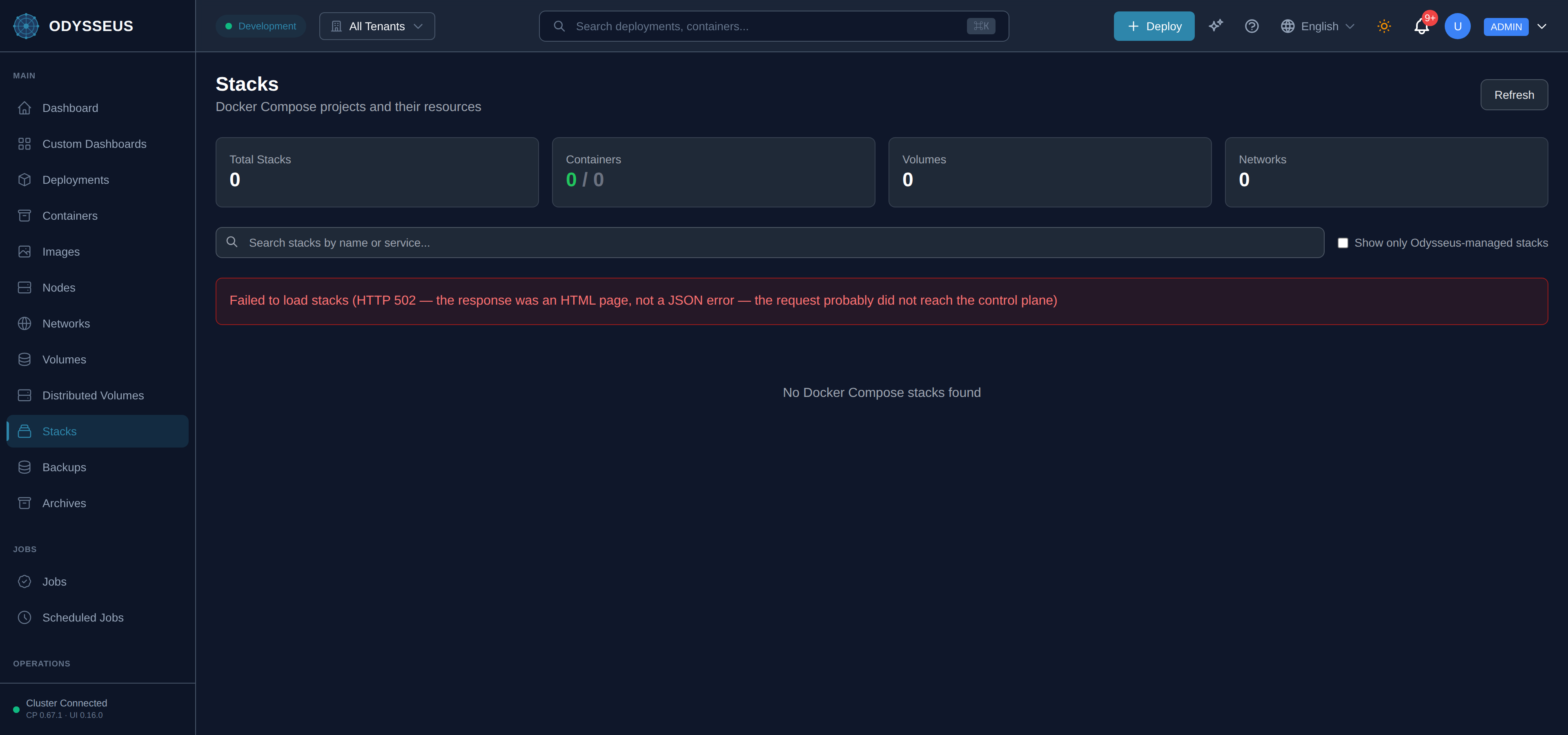
What It Shows
Section titled “What It Shows”/stacks (Stacks)
Section titled “/stacks (Stacks)”deployments:stacks.actions— “Actions”deployments:stacks.containers— “Containers”deployments:stacks.docker-compose— “Docker Compose”deployments:stacks.docker-compose-projects-and-their— “Docker Compose projects and their resources”deployments:stacks.managed-by— “Managed By”deployments:stacks.migrate-to-odysseus— “Migrate to Odysseus”deployments:stacks.networks— “Networks”deployments:stacks.no-docker-compose-stacks-found— “No Docker Compose stacks found”deployments:stacks.no-stacks-match-your-search— “No stacks match your search”deployments:stacks.odysseus— “Odysseus”deployments:stacks.refresh— “Refresh”deployments:stacks.search-stacks-by-name-or— “Search stacks by name or service…”deployments:stacks.services— “Services”deployments:stacks.show-only-odysseus-managed-stacks— “Show only Odysseus-managed stacks”deployments:stacks.stack— “Stack”deployments:stacks.stacks— “Stacks”deployments:stacks.status— “Status”deployments:stacks.total-stacks— “Total Stacks”deployments:stacks.volumes— “Volumes”
/stacks/:name (StackDetail)
Section titled “/stacks/:name (StackDetail)”deployments:stackDetail.container— “Container”deployments:stackDetail.containers— “Containers”deployments:stackDetail.driver— “Driver”deployments:stackDetail.health— “Health”deployments:stackDetail.image— “Image”deployments:stackDetail.mountpoint— “Mountpoint”deployments:stackDetail.network— “Network”deployments:stackDetail.networks— “Networks”deployments:stackDetail.no-containers-in-this-stack— “No containers in this stack”deployments:stackDetail.no-networks-in-this-stack— “No networks in this stack”deployments:stackDetail.no-volumes-in-this-stack— “No volumes in this stack”deployments:stackDetail.refresh— “Refresh”deployments:stackDetail.scope— “Scope”deployments:stackDetail.service— “Service”deployments:stackDetail.services— “Services”deployments:stackDetail.stack-not-found— “Stack Not Found”deployments:stackDetail.status— “Status”deployments:stackDetail.the-requested-stack-could-not— “The requested stack could not be found”deployments:stackDetail.volume— “Volume”deployments:stackDetail.volumes— “Volumes”
/stacks/:name/migrate (StackMigrate)
Section titled “/stacks/:name/migrate (StackMigrate)”deployments:stackMigrate.actual— “Actual:”deployments:stackMigrate.back-to-stack-details— “← Back to Stack Details”deployments:stackMigrate.cancel— “Cancel”deployments:stackMigrate.comparison-of-original-container-config— “Comparison of original container config vs stored deployment”deployments:stackMigrate.configuration-verification— “Configuration Verification”deployments:stackMigrate.conflict— “Conflict”deployments:stackMigrate.container-s— “container(s)”deployments:stackMigrate.convert-docker-compose-stack— “Convert Docker Compose stack "”deployments:stackMigrate.create-deployments-at-0-replicas— “Create deployments at 0 replicas. You can review the configuration and scale up when ready. Original containers continue running until you manually switch over.”deployments:stackMigrate.deployment-already-exists-must-skip— “Deployment already exists - must skip or rename”deployments:stackMigrate.deployment-name— “Deployment name:”deployments:stackMigrate.deployment-s-at-0-replicas— “deployment(s) at 0 replicas - scale up when ready”deployments:stackMigrate.disabled-when-staged-deployment-is— “(Disabled when staged deployment is selected)”deployments:stackMigrate.each-service-becomes-an-odysseus— “Each service becomes an Odysseus deployment with the same name”deployments:stackMigrate.empty— “(empty)”deployments:stackMigrate.existing-containers-continue-running-unless— “Existing containers continue running unless "Replace existing" is checked”deployments:stackMigrate.expected— “Expected:”deployments:stackMigrate.go-to-deployments— “Go to Deployments”deployments:stackMigrate.how-migration-works— “How Migration Works”deployments:stackMigrate.migrate-stack-to-odysseus— “Migrate Stack to Odysseus”deployments:stackMigrate.migrating— “Migrating…”deployments:stackMigrate.migration-complete-verification-issues-detected— “Migration Complete - Verification Issues Detected”deployments:stackMigrate.migration-in-progress— “Migration in Progress”deployments:stackMigrate.migration-options— “Migration Options”deployments:stackMigrate.migration-successful-verification-passed— “Migration Successful - Verification Passed”deployments:stackMigrate.named-docker-volumes-are-preserved— “Named Docker volumes are preserved and reused”deployments:stackMigrate.networks— “Networks:”deployments:stackMigrate.redirecting-to-deployments— “Redirecting to deployments…”deployments:stackMigrate.replace-existing-containers— “Replace existing containers”deployments:stackMigrate.rollback-migration— “Rollback Migration”deployments:stackMigrate.rollback-will-undo-this-migration— “Rollback will undo this migration”deployments:stackMigrate.rolling-back— “Rolling back…”deployments:stackMigrate.select-all— “Select All”deployments:stackMigrate.service-name-is-preserved-as— “Service name is preserved as DNS alias for network compatibility”deployments:stackMigrate.service-s-will-be-migrated— “service(s) will be migrated”deployments:stackMigrate.services— “Services (”deployments:stackMigrate.skip— “Skip”deployments:stackMigrate.skip-all— “Skip All”deployments:stackMigrate.stack-grouping-is-maintained-visible— “Stack grouping is maintained (visible in Portainer)”deployments:stackMigrate.stack-name— “Stack Name”deployments:stackMigrate.stack-name-for-grouping— “Stack name for grouping”deployments:stackMigrate.staged-deployment-recommended— “Staged deployment (recommended)”deployments:stackMigrate.stop-existing-docker-compose-containers— “Stop existing Docker Compose containers after verification passes. Odysseus will recreate them with proper management labels.”deployments:stackMigrate.to-odysseus-deployments— “" to Odysseus deployments”deployments:stackMigrate.used-for-grouping-deployments-in— “Used for grouping deployments in Portainer and the Stacks view”deployments:stackMigrate.volumes— “Volumes:”deployments:stackMigrate.warnings— “Warnings”
What You Can Do
Section titled “What You Can Do”/stacks
Section titled “/stacks”This screen’s component declares no permission-gated controls.
/stacks/:name
Section titled “/stacks/:name”This screen’s component declares no permission-gated controls.
/stacks/:name/migrate
Section titled “/stacks/:name/migrate”This screen’s component declares no permission-gated controls.
Where To Go Next
Section titled “Where To Go Next”Once a stack’s containers are under Odysseus management, they show individually on the Containers screen and their networks on the Networks screen.