Billing Config
What This Is For
Section titled “What This Is For”Billing Config is where a platform admin points Odysseus at the Musa billing service that powers Billing Admin and the tenant-facing Billing/Plans screens: the service’s base URL, the client certificate common name Odysseus authenticates as, and (for first-time setup) an enrollment token. It also carries a connection test, a resync action to reconcile Odysseus’s tenant records against Musa’s, and reports how many tenants synced, were skipped, or failed on the last run.
How You Get Here
Section titled “How You Get Here”Sidebar section Admin → Billing Config. Platform admin only.
What It Looks Like
Section titled “What It Looks Like”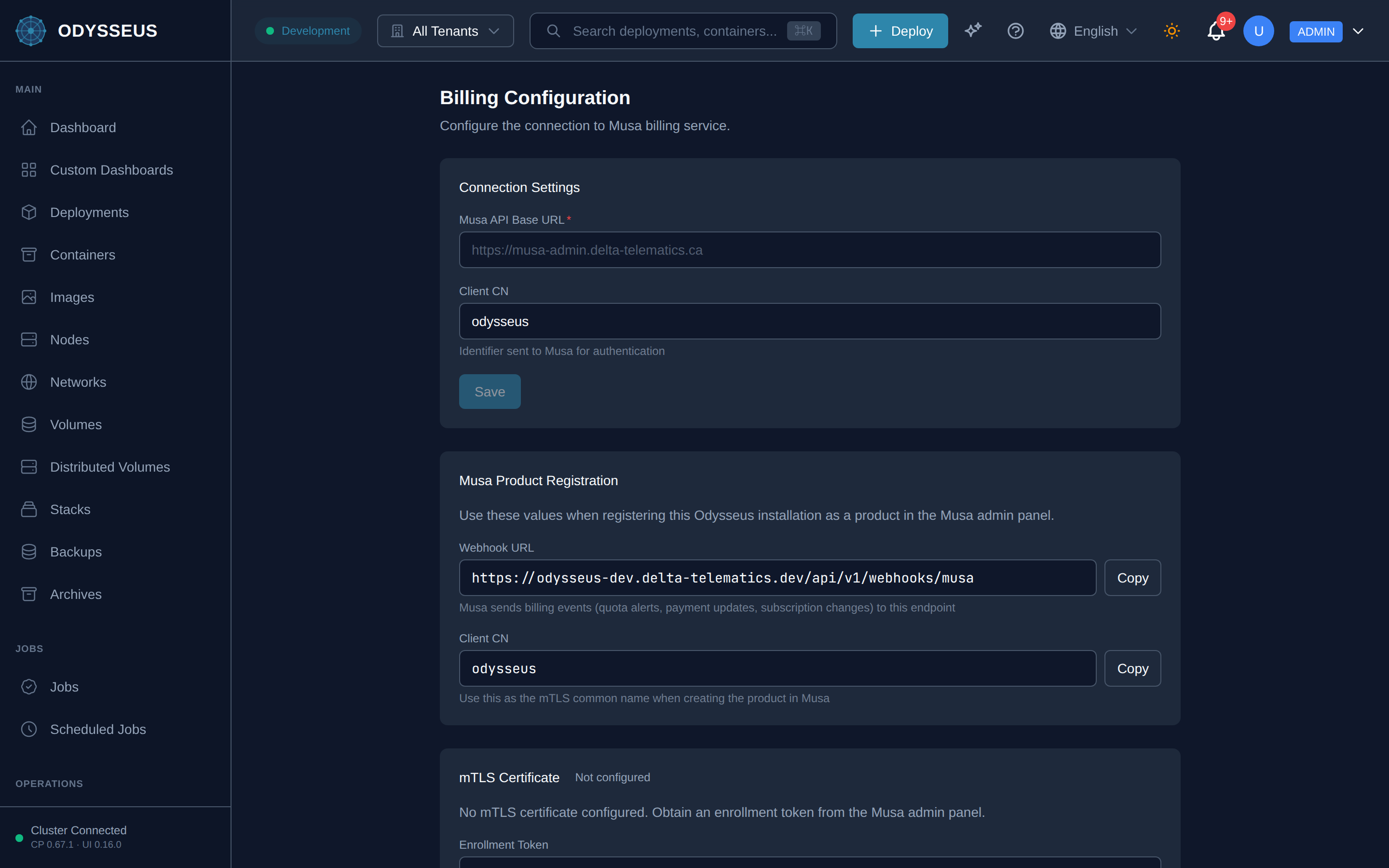
What It Shows
Section titled “What It Shows”/admin/billing/config (BillingConfig)
Section titled “/admin/billing/config (BillingConfig)”billing:billingConfig.active— “Active”billing:billingConfig.billing-configuration— “Billing Configuration”billing:billingConfig.client-cn— “Client CN”billing:billingConfig.configure-the-connection-to-musa— “Configure the connection to Musa billing service.”billing:billingConfig.connected-successfully— “Connected successfully (”billing:billingConfig.connection-failed— “Connection failed:”billing:billingConfig.connection-settings— “Connection Settings”billing:billingConfig.copy— “Copy”billing:billingConfig.disconnect— “Disconnect”billing:billingConfig.enroll— “Enroll”billing:billingConfig.enrolling— “Enrolling…”billing:billingConfig.enrollment-token— “Enrollment Token”billing:billingConfig.expires— “Expires”billing:billingConfig.failed— “· Failed:”billing:billingConfig.met— “met_…”billing:billingConfig.ms— “ms,”billing:billingConfig.mtls-certificate— “mTLS Certificate”billing:billingConfig.musa-api-base-url— “Musa API Base URL”billing:billingConfig.musa-product-registration— “Musa Product Registration”billing:billingConfig.no-mtls-certificate-configured-obtain— “No mTLS certificate configured. Obtain an enrollment token from the Musa admin panel.”billing:billingConfig.not-configured— “Not configured”billing:billingConfig.plain-http— “plain HTTP”billing:billingConfig.registers-existing-odysseus-tenants-in— “Registers existing Odysseus tenants in Musa. Tenants created before billing was connected need to be synced manually. Safe to run multiple times.”billing:billingConfig.remove-billing-configuration— “Remove Billing Configuration”billing:billingConfig.removing— “Removing…”billing:billingConfig.removing-billing-configuration-will-disable— “Removing billing configuration will disable all billing features, including the billing proxy, webhook processing, and usage reporting.”billing:billingConfig.renew-certificate— “Renew Certificate”billing:billingConfig.renewing— “Renewing…”billing:billingConfig.save— “Save”billing:billingConfig.save-connection-settings-first-before— “Save connection settings first before enrolling.”billing:billingConfig.saving— “Saving…”billing:billingConfig.serial— “Serial”billing:billingConfig.skipped— “· Skipped:”billing:billingConfig.sync-tenants-to-musa— “Sync Tenants to Musa”billing:billingConfig.synced— “· Synced:”billing:billingConfig.syncing— “Syncing…”billing:billingConfig.tenant-sync— “Tenant Sync”billing:billingConfig.test-connection— “Test Connection”billing:billingConfig.testing— “Testing…”billing:billingConfig.total— “Total:”billing:billingConfig.use-these-values-when-registering— “Use these values when registering this Odysseus installation as a product in the Musa admin panel.”billing:billingConfig.webhook-url— “Webhook URL”
What You Can Do
Section titled “What You Can Do”/admin/billing/config
Section titled “/admin/billing/config”This screen’s component declares no permission-gated controls.
Where To Go Next
Section titled “Where To Go Next”Once configured, the platform-wide billing data this connection supplies shows on the Billing Admin screen.