Events
What This Is For
Section titled “What This Is For”Events is the single audit trail of everything the control plane did to a deployment — timestamp, event type, the deployment it happened to, the user who caused it (when a user caused it), and a message. It loads incrementally as you scroll rather than paging, and search narrows by deployment, type or message text; this is the first place to look when something changed and you need to know what, when and by whom, before you go looking in a specific deployment’s own history.
How You Get Here
Section titled “How You Get Here”Sidebar section Operations → Events.
What It Looks Like
Section titled “What It Looks Like”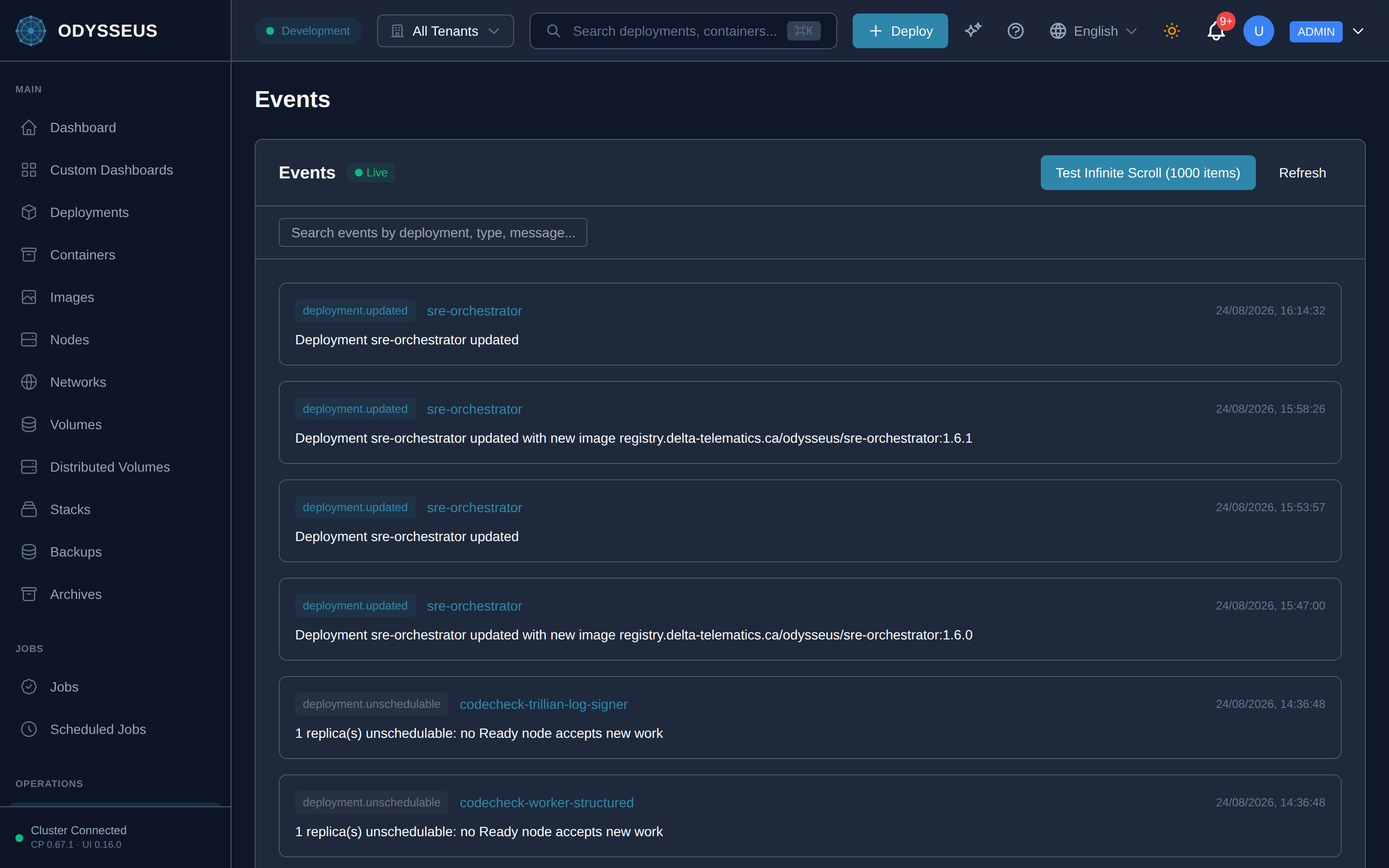
What It Shows
Section titled “What It Shows”/events (Events)
Section titled “/events (Events)”infrastructure:events.all— “All”infrastructure:events.clear-search— “Clear search”infrastructure:events.close— “Close”infrastructure:events.connected-receiving-real-time-updates— “Connected - receiving real-time updates”infrastructure:events.deployment— “Deployment”infrastructure:events.disconnected-manual-refresh-required— “Disconnected - manual refresh required”infrastructure:events.event-details— “Event Details”infrastructure:events.event-id— “Event ID”infrastructure:events.event-type— “Event Type”infrastructure:events.events— “Events”infrastructure:events.exit-demo-mode— “Exit Demo Mode”infrastructure:events.initial-load— “Initial Load:”infrastructure:events.items— “items)”infrastructure:events.items-loaded— “items loaded”infrastructure:events.items-rendered— “Items Rendered:”infrastructure:events.live— “Live”infrastructure:events.loading-events— “Loading events…”infrastructure:events.loading-more-events— “Loading more events…”infrastructure:events.memory— “Memory:”infrastructure:events.message— “Message”infrastructure:events.no-events— “No events”infrastructure:events.no-events-have-been-recorded— “No events have been recorded yet.”infrastructure:events.no-events-match-your-search— “No events match your search "”infrastructure:events.no-matching-events— “No matching events”infrastructure:events.offline— “Offline”infrastructure:events.refresh— “Refresh”infrastructure:events.scroll-down-to-load-more— “Scroll down to load more items (50 at a time)”infrastructure:events.scroll-to-load-more— “Scroll to load more…”infrastructure:events.search-events— “Search events”infrastructure:events.search-events-by-deployment-type— “Search events by deployment, type, message…”infrastructure:events.search-events-by-deployment-type-2— “Search events by deployment, type, or message”infrastructure:events.test-infinite-scroll— “Test Infinite Scroll (”infrastructure:events.timestamp— “Timestamp”infrastructure:events.try-a-different-search-term— “". Try a different search term.”infrastructure:events.user— “User”
What You Can Do
Section titled “What You Can Do”/events
Section titled “/events”This screen’s component declares no permission-gated controls.
Where To Go Next
Section titled “Where To Go Next”If an event here reflects a refused action, the rejections reference names the field, the value received and the accepted form. For the admin-only counterpart that records who accessed what (rather than what happened to a deployment), see the Audit Log screen.