Canaries
What This Is For
Section titled “What This Is For”Canaries manages progressive rollouts: a new version of a deployment goes live at a small traffic percentage alongside the stable version, and you watch its metrics before deciding whether to shift more traffic its way. From here you pause a canary mid-rollout, resume it, promote it to fully replace the stable version, or roll it back — the traffic-split figure (“stable% / canary%”) and status (Progressing, Paused, Promoted, Rolled Back) are the two things this screen is built around.
How You Get Here
Section titled “How You Get Here”Sidebar section Operations → Canaries.
What It Looks Like
Section titled “What It Looks Like”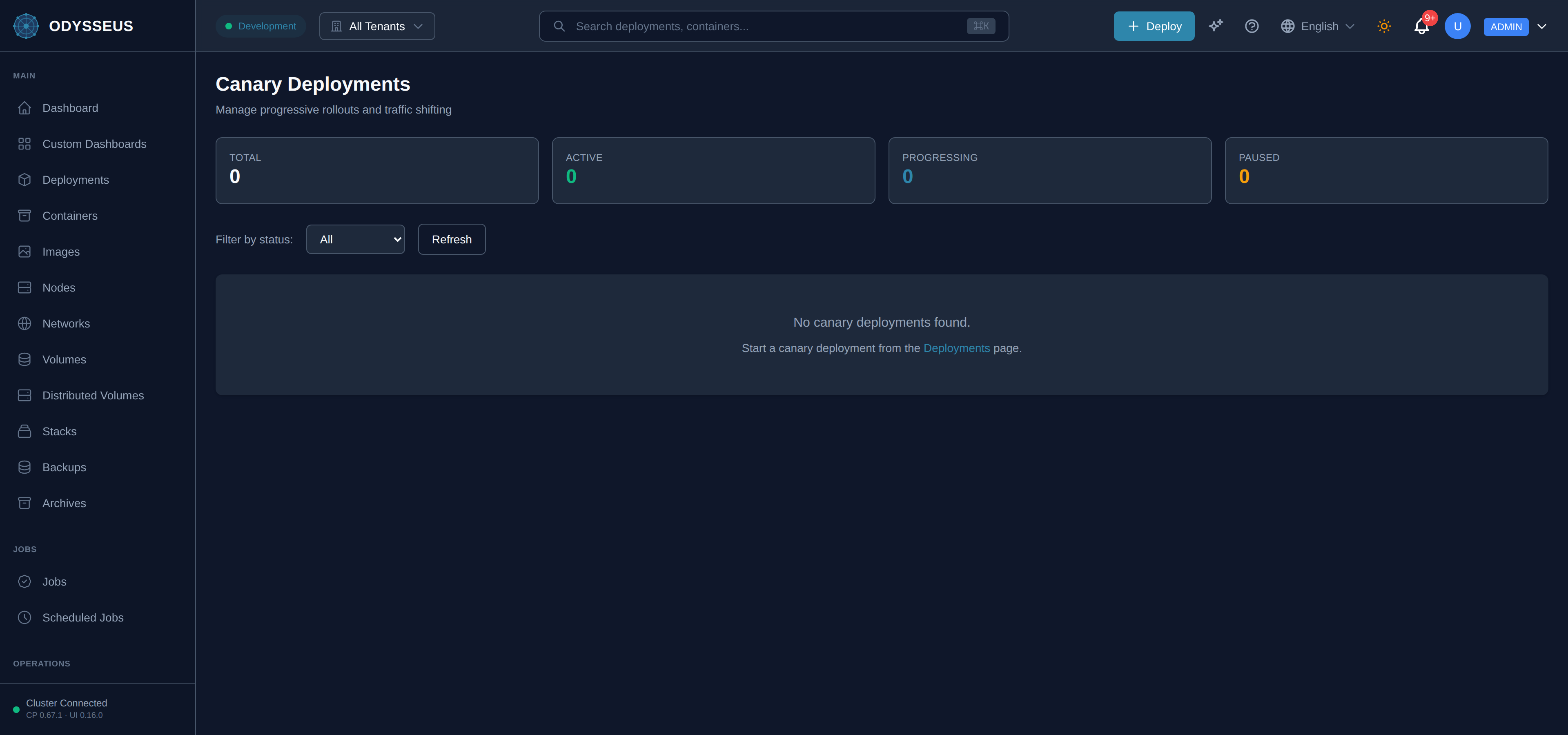
What It Shows
Section titled “What It Shows”/canaries (Canaries)
Section titled “/canaries (Canaries)”infrastructure:canaries.actions— “Actions”infrastructure:canaries.active— “Active”infrastructure:canaries.active-only— “Active Only”infrastructure:canaries.all— “All”infrastructure:canaries.apply— “Apply”infrastructure:canaries.canary-deployments— “Canary Deployments”infrastructure:canaries.cancel— “Cancel”infrastructure:canaries.deployment— “Deployment”infrastructure:canaries.deployments— “Deployments”infrastructure:canaries.dismiss— “Dismiss”infrastructure:canaries.edit— “Edit”infrastructure:canaries.error— “Error”infrastructure:canaries.filter-by-status— “Filter by status:”infrastructure:canaries.loading-canary-deployments— “Loading canary deployments…”infrastructure:canaries.manage-progressive-rollouts-and-traffic— “Manage progressive rollouts and traffic shifting”infrastructure:canaries.metrics— “Metrics”infrastructure:canaries.no-canary-deployments-found— “No canary deployments found.”infrastructure:canaries.no-metrics— “No metrics”infrastructure:canaries.page— “page.”infrastructure:canaries.pause— “Pause”infrastructure:canaries.paused— “Paused”infrastructure:canaries.progressing— “Progressing”infrastructure:canaries.promote— “Promote”infrastructure:canaries.promoted— “Promoted”infrastructure:canaries.refresh— “Refresh”infrastructure:canaries.replicas— “Replicas”infrastructure:canaries.resume— “Resume”infrastructure:canaries.rollback— “Rollback”infrastructure:canaries.rolled-back— “Rolled Back”infrastructure:canaries.start-a-canary-deployment-from— “Start a canary deployment from the”infrastructure:canaries.status— “Status”infrastructure:canaries.success— “Success”infrastructure:canaries.total— “Total”infrastructure:canaries.traffic-split— “{{stable}}% / {{canary}}%”infrastructure:canaries.view-deployment— “View Deployment”
/canaries/:name (CanaryDetail)
Section titled “/canaries/:name (CanaryDetail)”infrastructure:canaryDetail.actions— “Actions”infrastructure:canaryDetail.adjust-the-traffic-distribution-between— “Adjust the traffic distribution between stable and canary versions.”infrastructure:canaryDetail.adjust-traffic— “Adjust Traffic”infrastructure:canaryDetail.adjust-traffic-weight— “Adjust Traffic Weight”infrastructure:canaryDetail.apply-changes— “Apply Changes”infrastructure:canaryDetail.back-to-canaries— “← Back to Canaries”infrastructure:canaryDetail.canary— “Canary”infrastructure:canaryDetail.canary-2— “Canary:”infrastructure:canaryDetail.canary-deployment-not-found— “Canary deployment not found”infrastructure:canaryDetail.canary-image— “Canary Image”infrastructure:canaryDetail.canary-metrics— “Canary Metrics”infrastructure:canaryDetail.cancel— “Cancel”infrastructure:canaryDetail.created— “Created”infrastructure:canaryDetail.dismiss— “Dismiss”infrastructure:canaryDetail.error-rate— “Error Rate”infrastructure:canaryDetail.last-updated— “Last Updated”infrastructure:canaryDetail.loading-canary-deployment— “Loading canary deployment…”infrastructure:canaryDetail.new-stable-image— “New Stable Image”infrastructure:canaryDetail.p99-latency— “P99 Latency”infrastructure:canaryDetail.pause-canary— “Pause Canary”infrastructure:canaryDetail.paused-at— “Paused At”infrastructure:canaryDetail.promote— “Promote”infrastructure:canaryDetail.promote-canary— “Promote Canary”infrastructure:canaryDetail.promote-to-stable— “Promote to Stable”infrastructure:canaryDetail.promoting— “Promoting…”infrastructure:canaryDetail.refresh— “Refresh”infrastructure:canaryDetail.replicas— “Replicas”infrastructure:canaryDetail.resume-canary— “Resume Canary”infrastructure:canaryDetail.rollback— “Rollback”infrastructure:canaryDetail.rollback-canary— “Rollback Canary”infrastructure:canaryDetail.rolling-back— “Rolling Back…”infrastructure:canaryDetail.stable-2— “Stable”infrastructure:canaryDetail.stable-3— “Stable:”infrastructure:canaryDetail.stable-image— “Stable Image”infrastructure:canaryDetail.stable-image-keeping— “Stable Image (Keeping)”infrastructure:canaryDetail.success-rate— “Success Rate”infrastructure:canaryDetail.the-canary-version-will-be— “The canary version will be removed and all canary replicas will be terminated.”infrastructure:canaryDetail.the-current-stable-version-will— “The current stable version will be replaced and 100% of traffic will be routed to the new version.”infrastructure:canaryDetail.this-will-promote-the-canary— “This will promote the canary version to become the new stable version.”infrastructure:canaryDetail.this-will-terminate-the-canary— “This will terminate the canary deployment and route 100% of traffic back to the stable version.”infrastructure:canaryDetail.traffic-distribution— “Traffic Distribution”infrastructure:canaryDetail.updating— “Updating…”infrastructure:canaryDetail.view-deployment— “View Deployment”
What You Can Do
Section titled “What You Can Do”/canaries
Section titled “/canaries”This screen’s component declares no permission-gated controls.
/canaries/:name
Section titled “/canaries/:name”This screen’s component declares no permission-gated controls.
Where To Go Next
Section titled “Where To Go Next”See rollouts for how a canary relates to a normal rolling update, and roll out without downtime for the walkthrough. If a canary is healthy but shows no traffic reaching it, work through a canary is running and receiving nothing.