Dashboard
What This Is For
Section titled “What This Is For”Dashboard is the cluster-and-tenant landing page: an at-a-glance system status (healthy or unhealthy), the deployment count with a filterable last-24-hours view, and quick counts for nodes and networks. It also carries the fastest path to create a deployment and the fastest path to remove one — a delete here is irreversible and takes every container the deployment manages with it.
How You Get Here
Section titled “How You Get Here”Sidebar section Main → Dashboard. It is also where the console lands you immediately
after login — the root path / redirects here.
What It Looks Like
Section titled “What It Looks Like”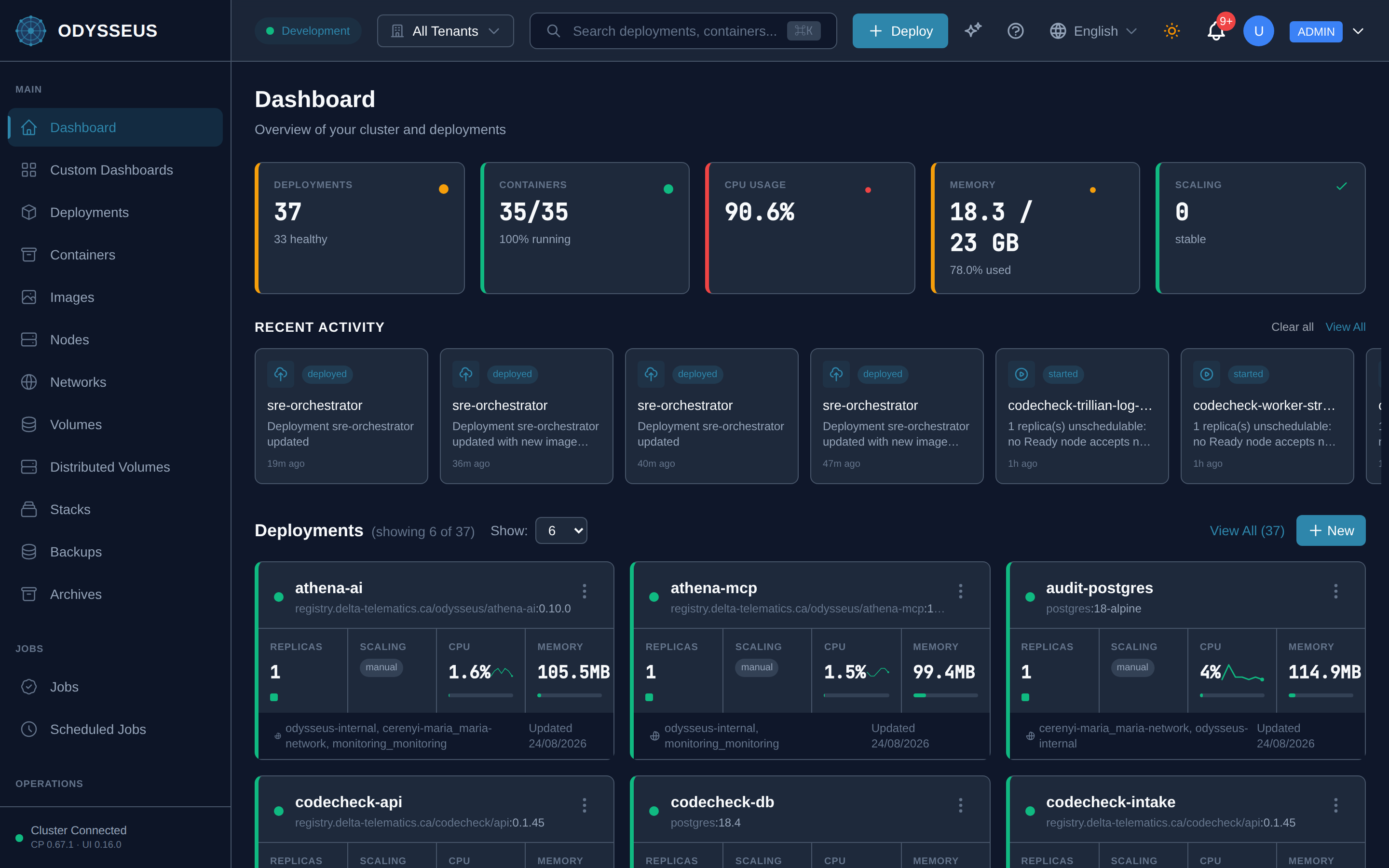
What It Shows
Section titled “What It Shows”/dashboard (Dashboard)
Section titled “/dashboard (Dashboard)”common:dashboard.all— “All”common:dashboard.are-you-sure-you-want— “Are you sure you want to delete the deployment”common:dashboard.cancel— “Cancel”common:dashboard.configured— “configured”common:dashboard.create-deployment— “Create Deployment”common:dashboard.dashboard— “Dashboard”common:dashboard.delete— “Delete”common:dashboard.delete-deployment— “Delete Deployment”common:dashboard.deleting— “Deleting…”common:dashboard.deployments— “Deployments”common:dashboard.events— “Events”common:dashboard.get-started-by-creating-your— “Get started by creating your first deployment”common:dashboard.healthy— “healthy”common:dashboard.last-24h— “last 24h”common:dashboard.networks— “Networks”common:dashboard.new— “New”common:dashboard.no-deployments-yet— “No deployments yet”common:dashboard.nodes— “Nodes”common:dashboard.overview-of-your-cluster-and— “Overview of your cluster and deployments”common:dashboard.show— “Show:”common:dashboard.system-status-unhealthy— “System Status: Unhealthy”common:dashboard.this-action-cannot-be-undone— “This action cannot be undone. All containers managed by this deployment will be removed.”common:dashboard.view-all— “View All (”
What You Can Do
Section titled “What You Can Do”/dashboard
Section titled “/dashboard”This screen’s component declares no permission-gated controls.
Where To Go Next
Section titled “Where To Go Next”For the full deployment record behind each dashboard entry, see the deployments screen and the deployment manifest. For what a system-status “Unhealthy” reading is actually telling you and how to work back to the cause, start at operations.