Images
What This Is For
Section titled “What This Is For”Images is the container-image inventory, deduplicated across every deployment that references each one, with its most recent vulnerability scan (severity counts down to CRITICAL/HIGH) and any recommended upgrade next to it. You scan an image on demand or scan every deployed image at once, and where a newer tag is available you can upgrade a deployment to it from here — the screen tells you up front whether that upgrade carries known breaking changes before you commit to it.
How You Get Here
Section titled “How You Get Here”Sidebar section Main → Images.
What It Looks Like
Section titled “What It Looks Like”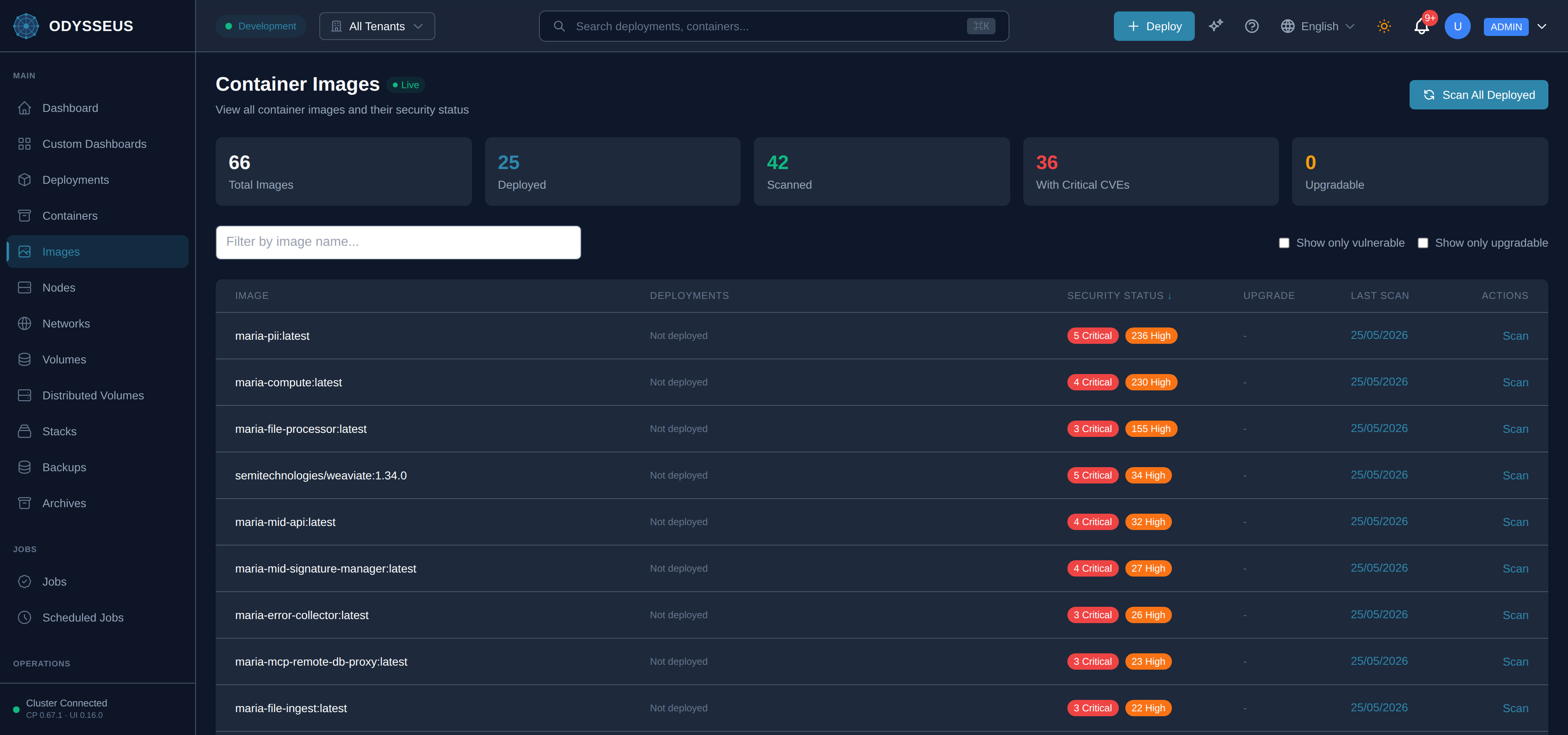
What It Shows
Section titled “What It Shows”/images (Images)
Section titled “/images (Images)”infrastructure:images.actions— “Actions”infrastructure:images.cancel— “Cancel”infrastructure:images.confirm-image-upgrade— “Confirm Image Upgrade”infrastructure:images.container-images— “Container Images”infrastructure:images.critical— “Critical”infrastructure:images.current— “Current:”infrastructure:images.deployed— “Deployed”infrastructure:images.deployments— “Deployments”infrastructure:images.filter-by-image-name— “Filter by image name…”infrastructure:images.high— “High”infrastructure:images.image— “Image”infrastructure:images.internal— “Internal”infrastructure:images.internal-image-update-via-sre— “Internal image - update via SRE”infrastructure:images.last-scan— “Last Scan”infrastructure:images.live— “Live”infrastructure:images.live-updates-disconnected— “Live updates disconnected”infrastructure:images.live-updates-enabled— “Live updates enabled”infrastructure:images.loading-images— “Loading images…”infrastructure:images.major-version-upgrade— “Major version upgrade”infrastructure:images.new— “New:”infrastructure:images.no-images-found— “No images found”infrastructure:images.no-vulnerabilities— “No vulnerabilities”infrastructure:images.not-deployed— “Not deployed”infrastructure:images.not-scanned— “Not scanned”infrastructure:images.offline— “Offline”infrastructure:images.scan— “Scan”infrastructure:images.scan-all-deployed— “Scan All Deployed”infrastructure:images.scanned— “Scanned”infrastructure:images.scanning— “Scanning…”infrastructure:images.security-status— “Security Status”infrastructure:images.show-only-upgradable— “Show only upgradable”infrastructure:images.show-only-vulnerable— “Show only vulnerable”infrastructure:images.this-may-include-breaking-changes— “- This may include breaking changes. Test in a non-production environment first.”infrastructure:images.this-will-update-the-deployment— “This will update the deployment configuration and restart the container with the new image. A vulnerability scan will run automatically after the upgrade.”infrastructure:images.to-a-newer-image-version— “to a newer image version?”infrastructure:images.total-images— “Total Images”infrastructure:images.upgradable— “Upgradable”infrastructure:images.upgrade— “Upgrade”infrastructure:images.upgrading— “Upgrading…”infrastructure:images.view-all-container-images-and— “View all container images and their security status”infrastructure:images.with-critical-cves— “With Critical CVEs”
What You Can Do
Section titled “What You Can Do”/images
Section titled “/images”This screen’s component declares no permission-gated controls.
Where To Go Next
Section titled “Where To Go Next”For the vulnerability scan history and the policies that can block a deployment on what a scan
finds, see the Security screen. The image field itself is
part of the deployment manifest.