Planifier une tâche récurrente
Goal
Un travail qui s’exécute selon un calendrier, avec une réponse définie pour ce qui se passe lorsqu’un déclenchement chevauche ou est manqué.
Before you start
- Une image qui exécute le travail et se termine.
- Une décision concernant le fuseau horaire. Elle est indiquée dans la description plutôt qu’héritée de l’environnement du processus de la plateforme.
- Une décision concernant les déclenchements simultanés, et concernant le retard maximal autorisé pour un déclenchement manqué.
Steps
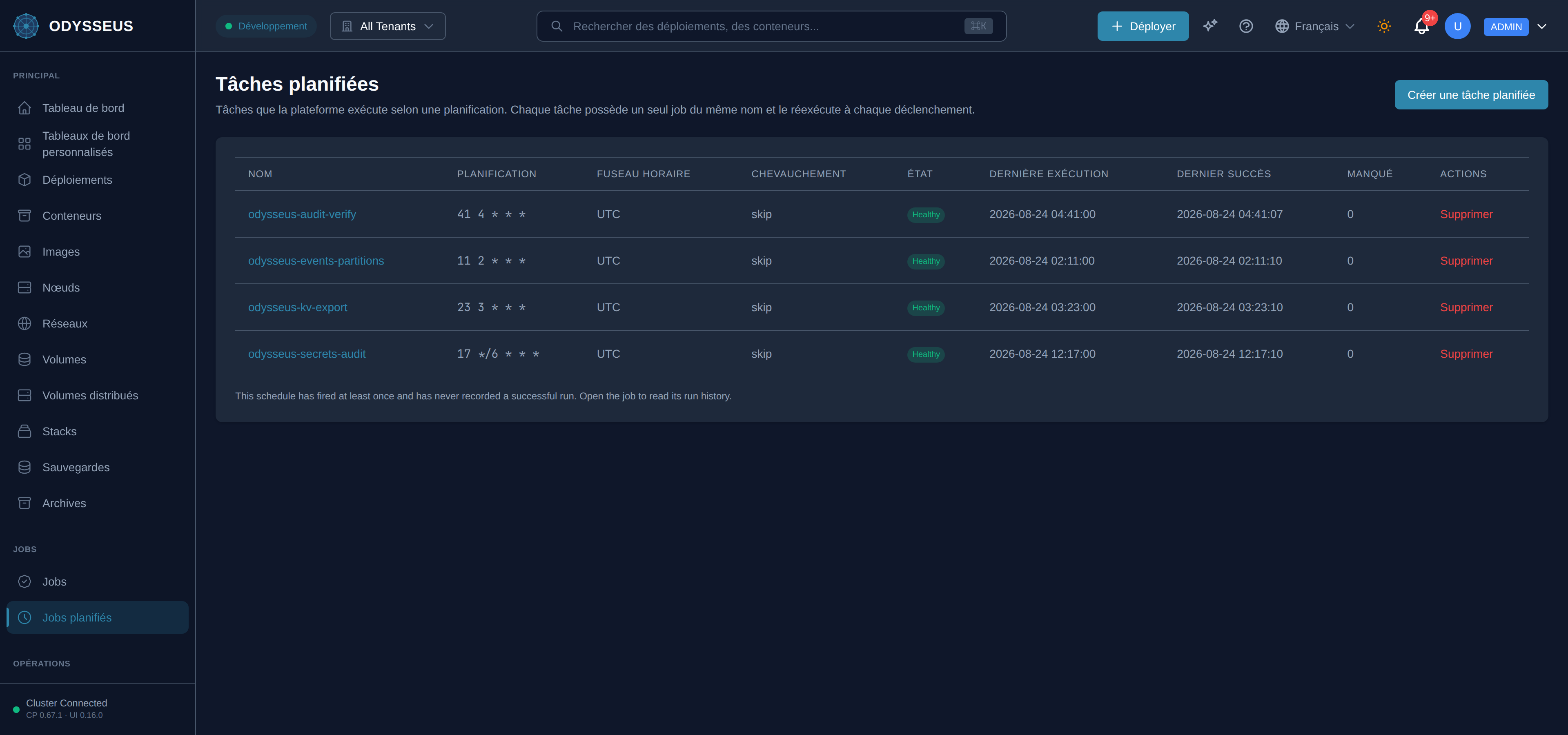
- Ouvrez Travail planifié et choisissez Nouveau planning.
- Donnez-lui un nom, l’expression cron et le fuseau horaire.
- Remplissez le job qu’il exécute : image, commande, réseaux, ressources et limite de tentatives.
- Choisissez ce que fait un déclenchement simultané, et le retard maximal autorisé pour un déclenchement manqué.
- Enregistrez, et confirmez que l’heure du prochain déclenchement affichée est celle que vous souhaitiez.
Steps
- Rédigez un document
kind: CronJobavec la planification et un modèle de tâche. - Appliquez-le. Chaque champ se trouve dans la référence cronjob.
Steps
POST /api/v1/cronjobsavec la planification et le modèle de tâche.GET /api/v1/cronjobs/{name}pour voir la planification stockée et son état.PUT /api/v1/cronjobs/{name}pour la modifier — y compris la suspendre.
Steps
- Il n’existe pas de commande CLI pour les tâches planifiées ; utilisez l’API ou le tableau de bord.
odysseus spec-auditaffiche les spécifications stockées, y compris les planifications.
apiVersion: odysseus/v1kind: CronJobmetadata: name: addriva-etl-ingest labels: {app: addriva-etl-ingest, project: addriva}spec: schedule: "17 1 1 * *" # no timezone: UTC, matching the retired host crontab concurrencyPolicy: skip startingDeadlineSeconds: 300 suspend: false jobTemplate: image: registry.delta-telematics.ca/addriva/etl:0.1.0 placement: {node: vps-71623e00} networks: [addriva-internal] command: ["ingest", "--sources", "oda,geoyukon,adresses_qc", "--version", "ODA_v1_2021"] environment: ADDRIVA_S3_ENDPOINT: "http://addriva-seaweedfs:8333" ADDRIVA_S3_BUCKET: "addriva-raw" ADDRIVA_OS_HOST: "http://addriva-opensearch:9200" ADDRIVA_OS_USER: "admin" secrets: - vaultPath: deployments/addriva-etl rotation: restart resources: limits: {cpu: "2", memory: 3500Mi} requests: {cpu: 500m, memory: 1Gi} restartPolicy: "no" backoffLimit: 2 activeDeadlineSeconds: 14400 ttlAfterFinished: 4392hCronJobManifest · testdata/docs-examples/monthly-cronjob.yamlVerify
La planification affiche son prochain déclenchement à l’heure attendue, dans le fuseau que vous avez défini, et la première exécution apparaît dans son historique.
Evidence this worked
L’historique des exécutions sous GET /api/v1/cronjobs/{name} montre des numéros d’exécution qui augmentent sur la même tâche
plutôt qu’une nouvelle tâche par déclenchement. C’est délibéré : un nouveau nom par déclenchement donnerait à chaque exécution le même
numéro et disperserait la limite de rétention sur un nombre illimité de noms.
When it fails
- La planification est refusée. La grammaire, les valeurs de champ acceptées et les rejets délibérés se trouvent dans la référence cronjob.
- Un déclenchement n’a pas eu lieu. Il chevauchait une exécution et votre politique était de l’ignorer, ou il a été manqué pendant une indisponibilité de la plateforme et est arrivé après la fenêtre que vous aviez autorisée.
- Le modèle de tâche définit l’identité ou le statut. La planification en est propriétaire ; les valeurs écrites sont mises à zéro plutôt que rejetées.
- Chaque code : rejets et altérations.