重新运行一个作业
Goal
一个已经运行的作业,可以重新运行——作为同一名称下的新编号运行,同时保留其之前的运行。
Before you start
- 一个已存在且已完成的作业。当另一个运行正在进行时启动的运行是另一个问题,由调度的并发策略决定。
- 如果您使用更改的镜像重新运行,则适用与创建相同的规则:请求是对作业的完整重新定义,而不是补丁。
Steps
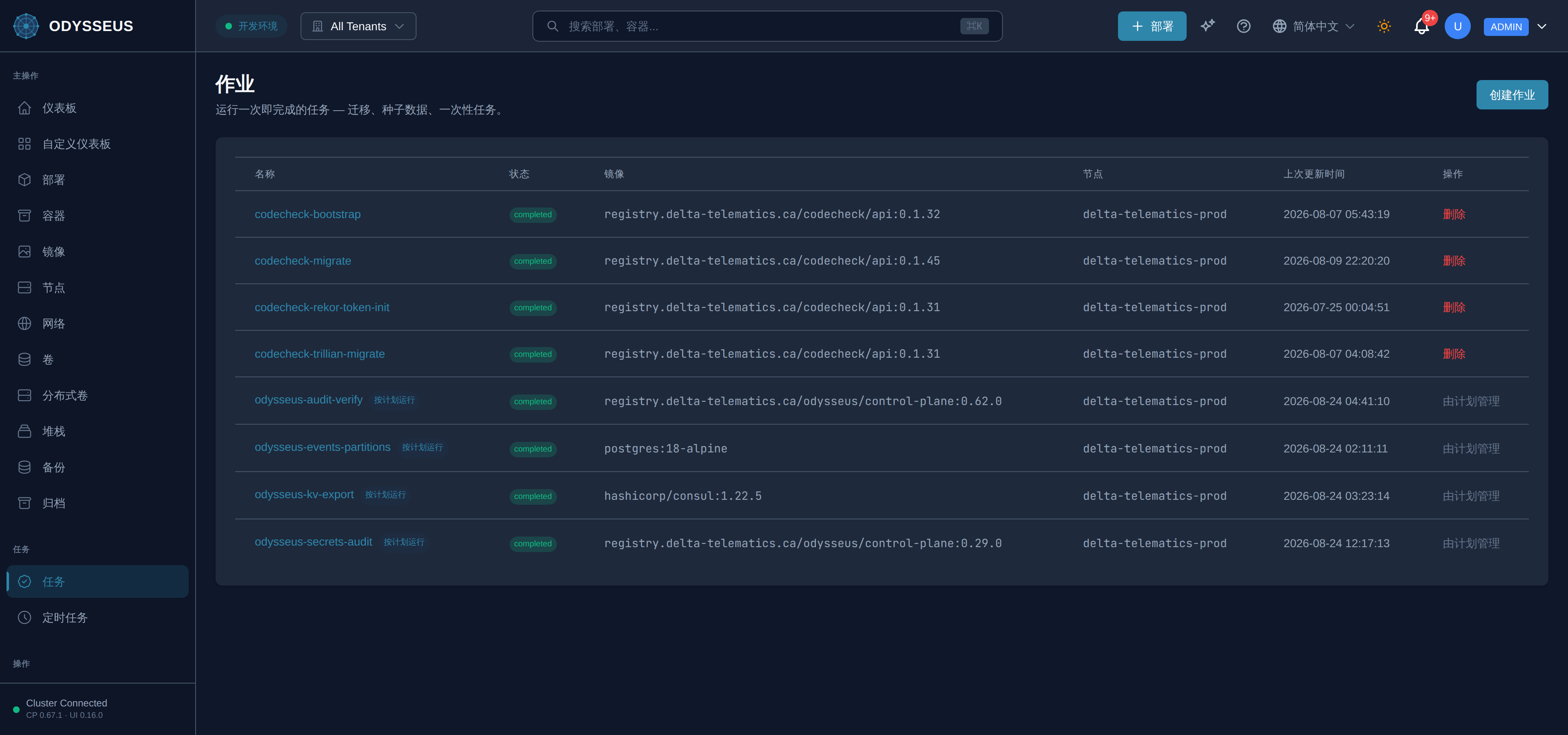
- 打开 Jobs 并选择该作业。
- 选择 Run again。
- 观察新的运行以下一个运行编号出现在历史记录中。
Steps
GET /api/v1/jobs/{name}/runs查看已记录的运行。POST /api/v1/jobs/{name}/runs启动另一个运行。空体会按存储的方式重新运行作业。GET /api/v1/jobs/{name}查看作业的当前状态。
Steps
- 没有 CLI 重新运行命令;请使用 API 或仪表板。
odysseus status和odysseus logs显示运行做了什么。
Verify
新的运行号出现在作业的历史中,并且早期的运行仍然列出。
Evidence this worked
运行列表添加一个条目,而不是替换前一个,运行号递增。 历史重置为运行一意味着创建了新作业,而不是重新运行现有作业。
When it fails
- 无镜像的体被拒绝。 运行体是对作业的完整重新规范,因此它需要镜像就像创建一样 — 完全不发送体以按存储重新运行。
- 另一个运行进行中时拒绝运行。 这是并发策略在发挥作用;参见 scheduled work。
- 旧运行缺失。 保留限制只保留最近的。这是一个你设置的字段。
- 每个代码:rejections and alterations。